New Adsense Id

Google AdSense - New Adsense Id Has Been Reborn

Sorry, this isn't my blogs. This's my books. There I try to write how to maximize own revenue from Google Adsense. Also any tips, trick and tutorials. Just a simple How-To for a newbie or beginner on Adsense publisher. I hope it can help you all...
Friday
Google AdSense » 12. How To - Reffer Google Product To Your Friends.
Tutorial explanation:

In this tutorial we will learn the basics of the AdSense referral setup.

What do you need?

An AdSense account.


Step Number One:

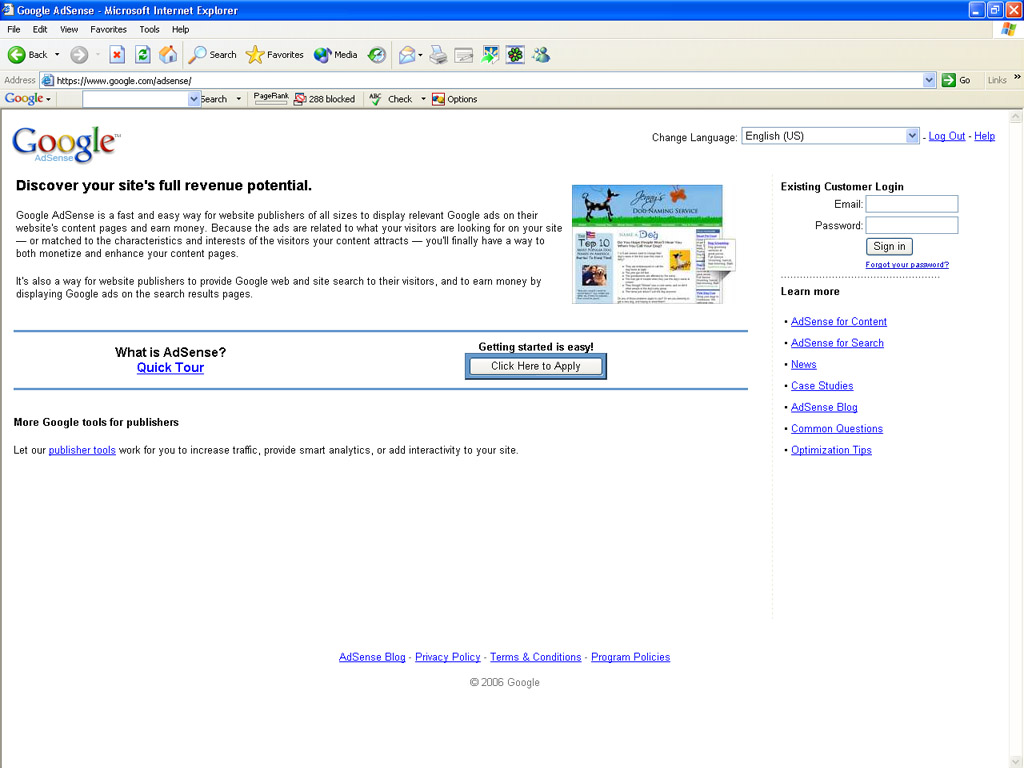
- Login to your AdSense account.


Step Number Two:

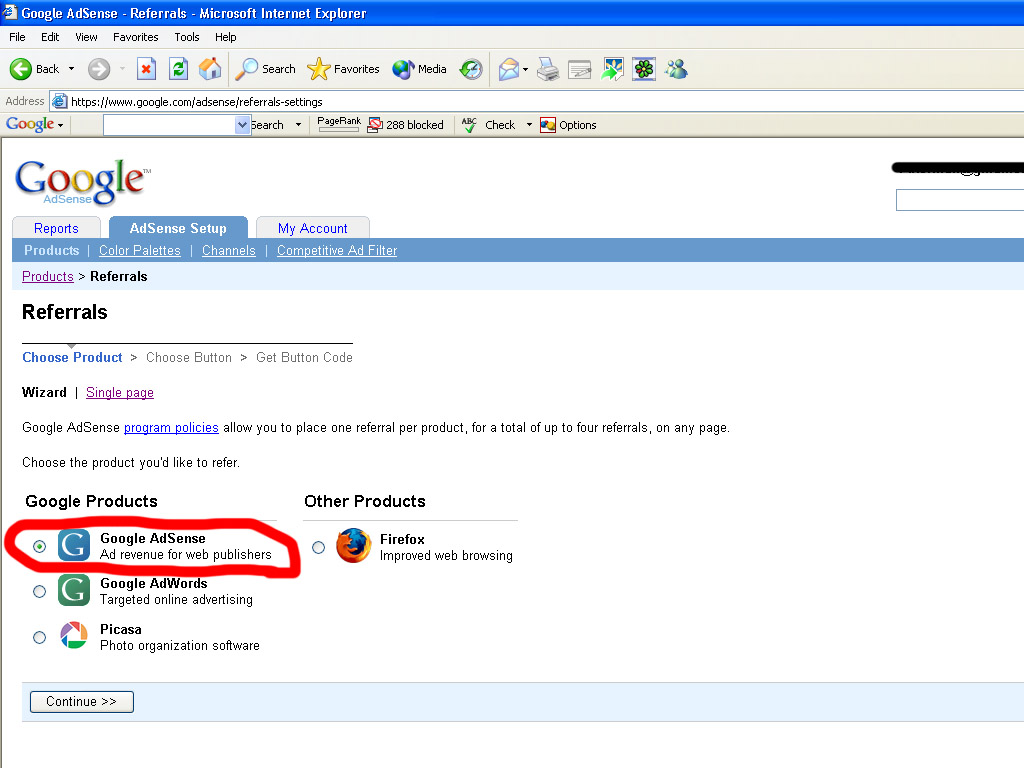
- Go to the 'AdSense Setup' tab.
- Select referrals.


Step Number Three:

- Choose the product you want to refer to.
(In this tutorial we will refer to Google AdSense)
- Click Continue.


Step Number Four:

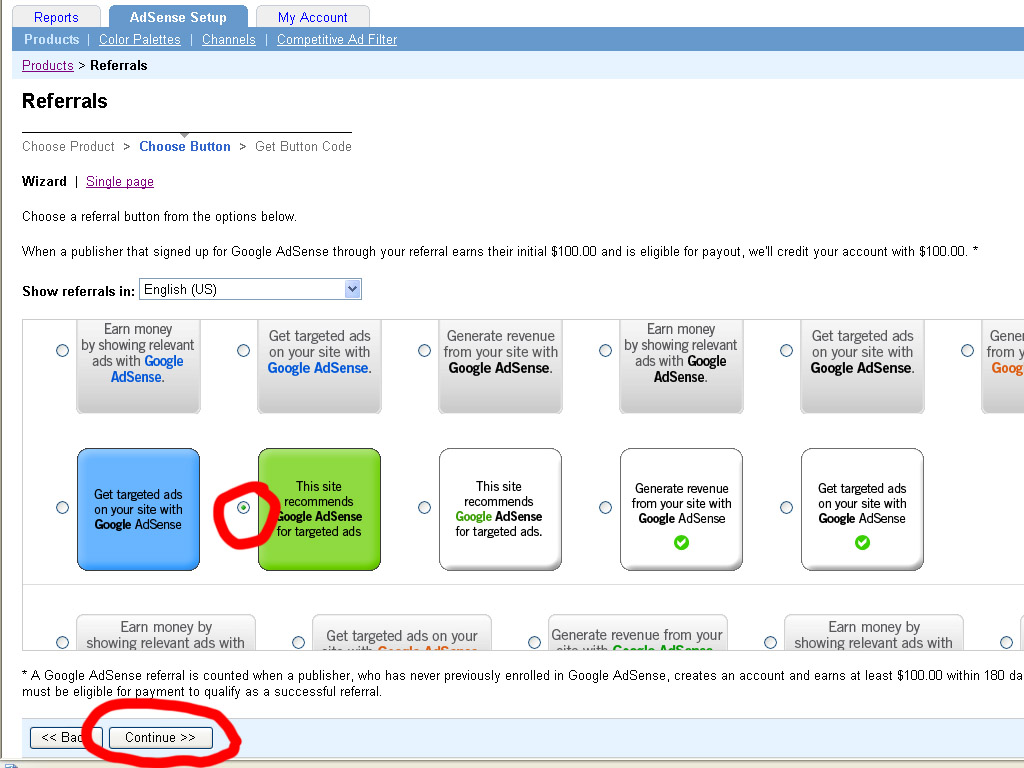
- Choose the referral button or link you want.
- Click Continue.


Step Number Five:

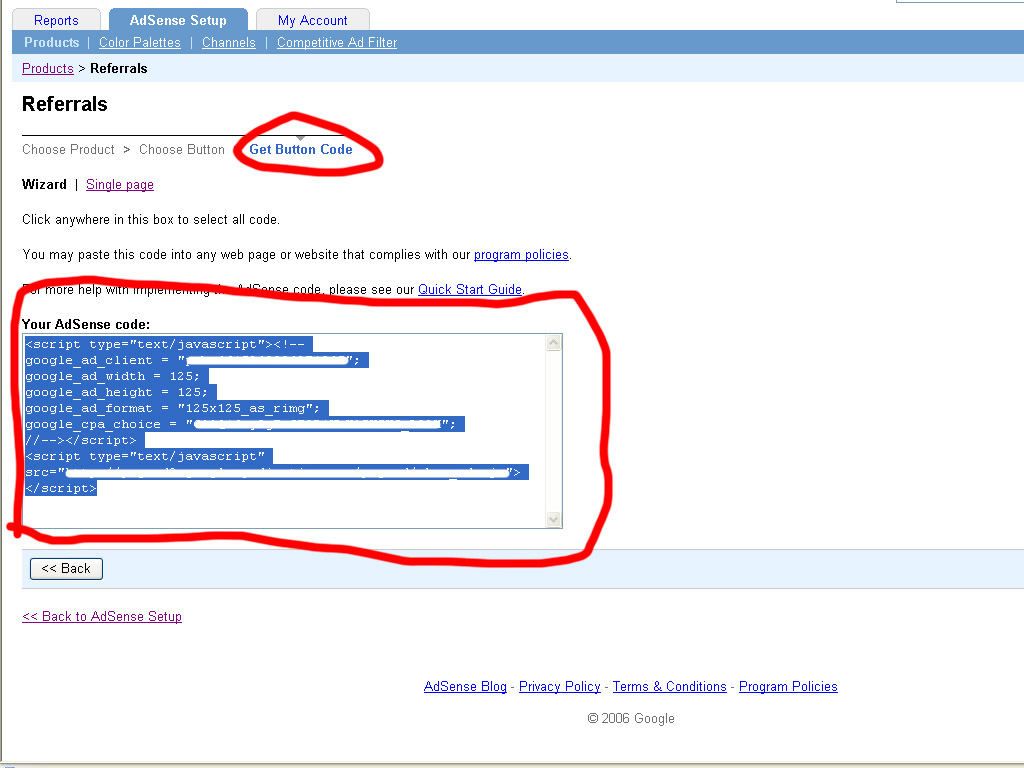
- Click inside the code box to highlight it.
- Copy Paste the code into the place you want it to be on your site.


That's it. Wasn't that simple??

Hope I could help,


[MaHe]
posted by MaHe @ 05:20  

© 2006++ Google AdSense - New Adsense Id Has Been Reborn.
No part of the content or the blog may be reproduced without written permission.

Best viewed with IE 6.0+ or Mozilla Firefox 1.x+, on 1024 x 768.


New Adsense Id
 
Affiliates


Write your searched keywords here :
Web This Blog

How many people have been visited this page? people open this page.

My site rank in Google Subscribe in Bloglines
Add to Google

Testimonials
Previous Post
Archives