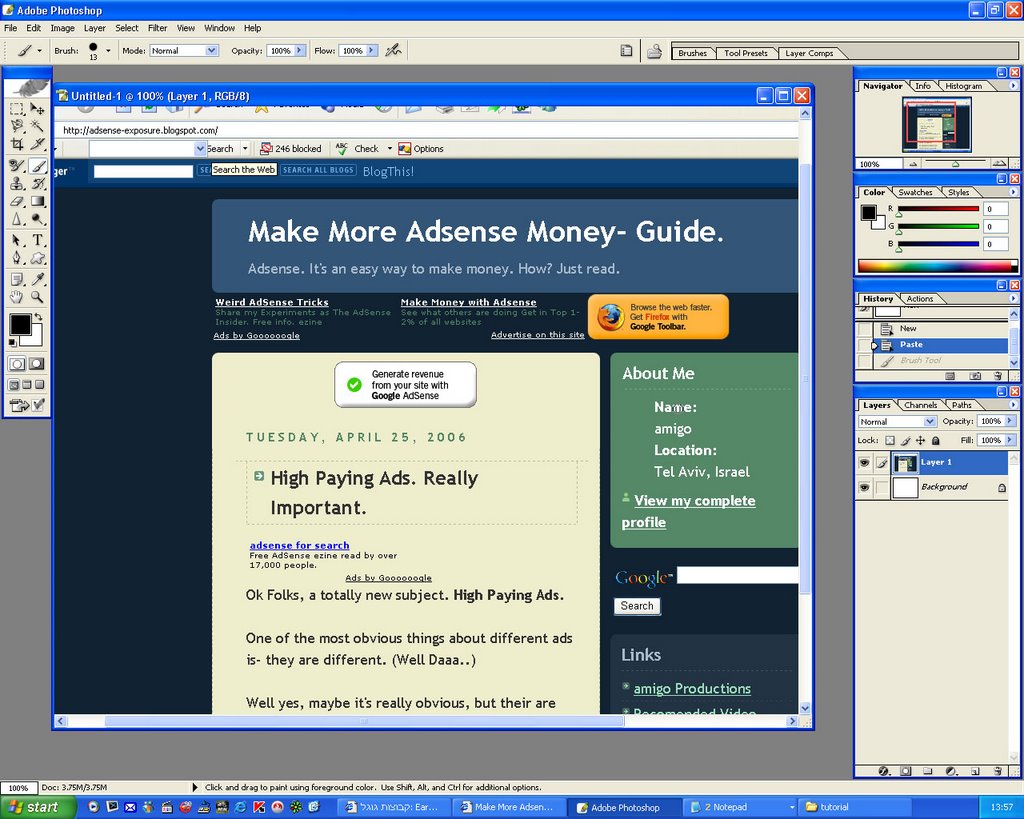
Step Number one:- Open Photoshop.
- Open your website in your browser.
- Press the Print Screen (PrtScn) button, on your keyboard.
- Open a new document in PhotoShop (CTR+N). (settings don't matter..)
- Paste the printed screen into Photoshop. (Simply press CTR+V)
 Step Number Two:
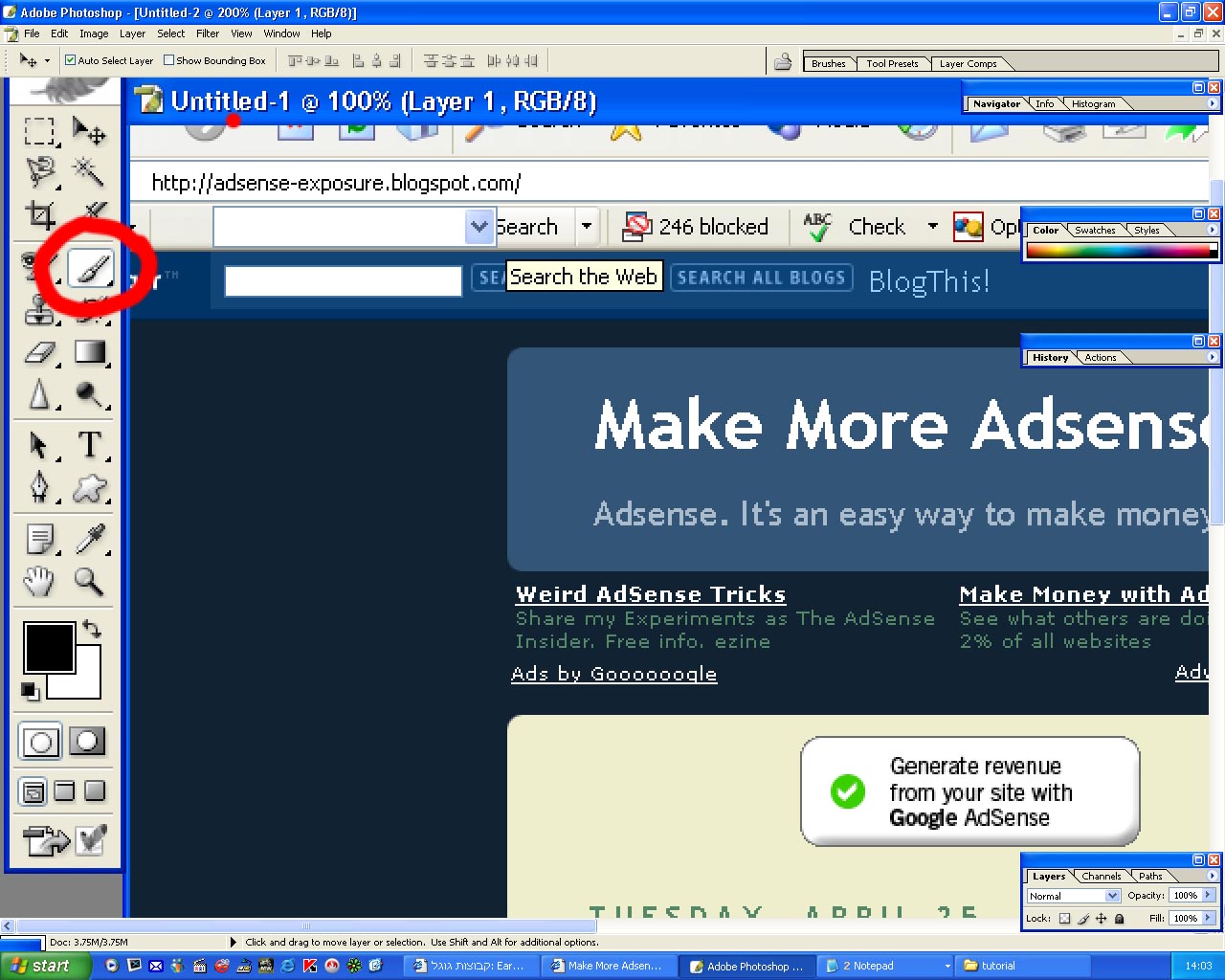
- Click on the Brush tool in Photoshop.
 Step number Three:
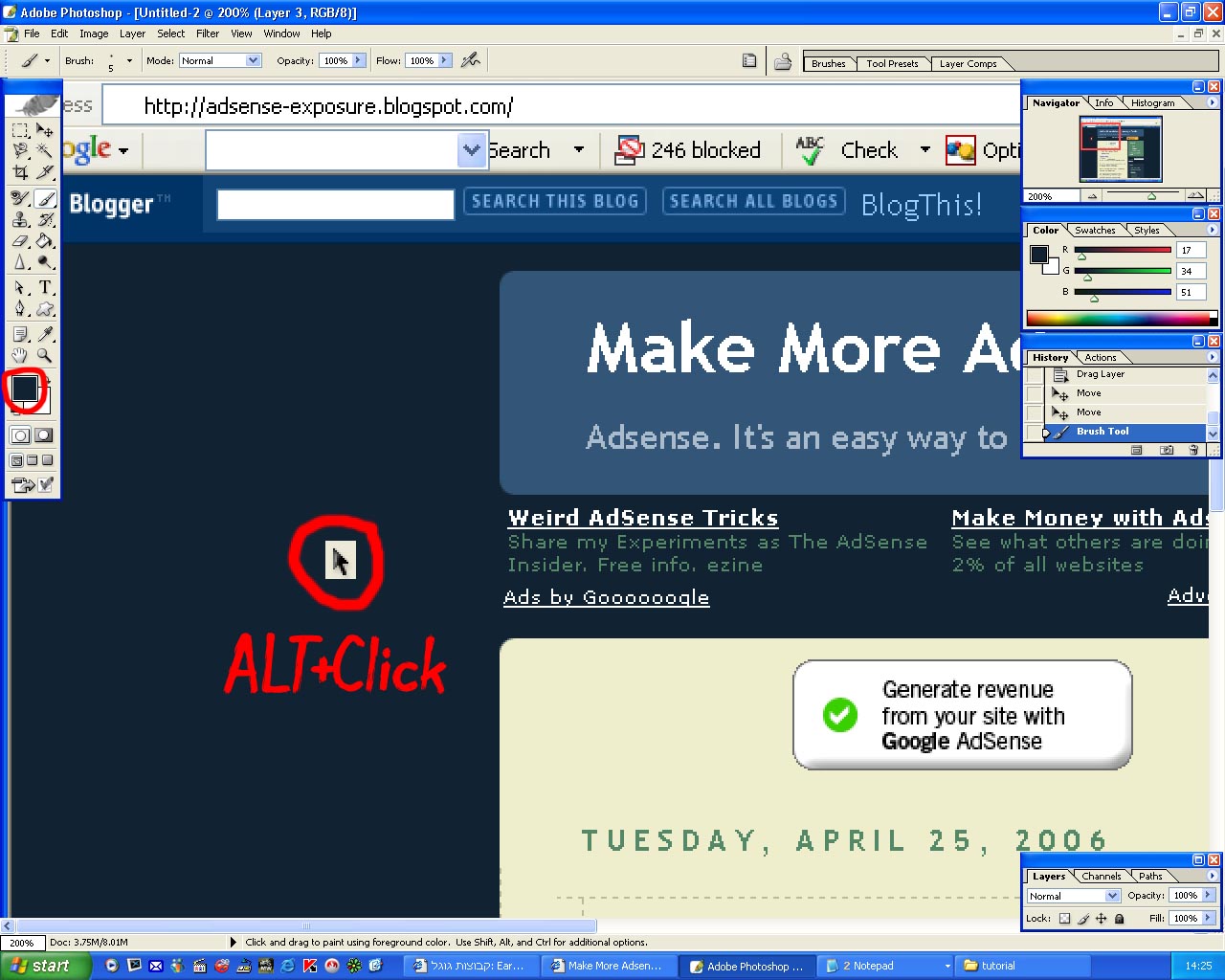
- Hold down the ALT button, on your keyboard.
 Step number Four:
- While holding down the ALT button, select and click with your mouse, the color you want your Ad to be.
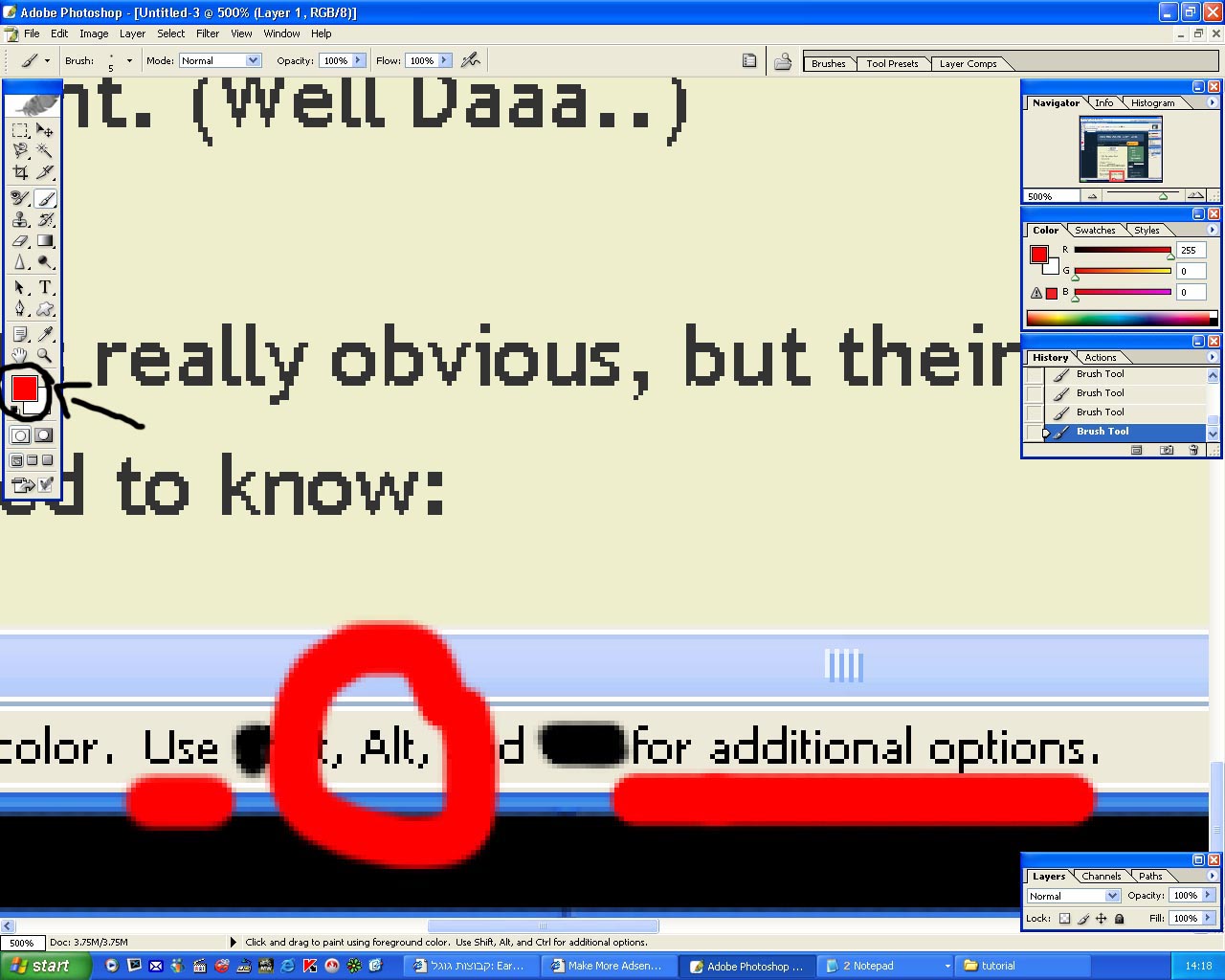
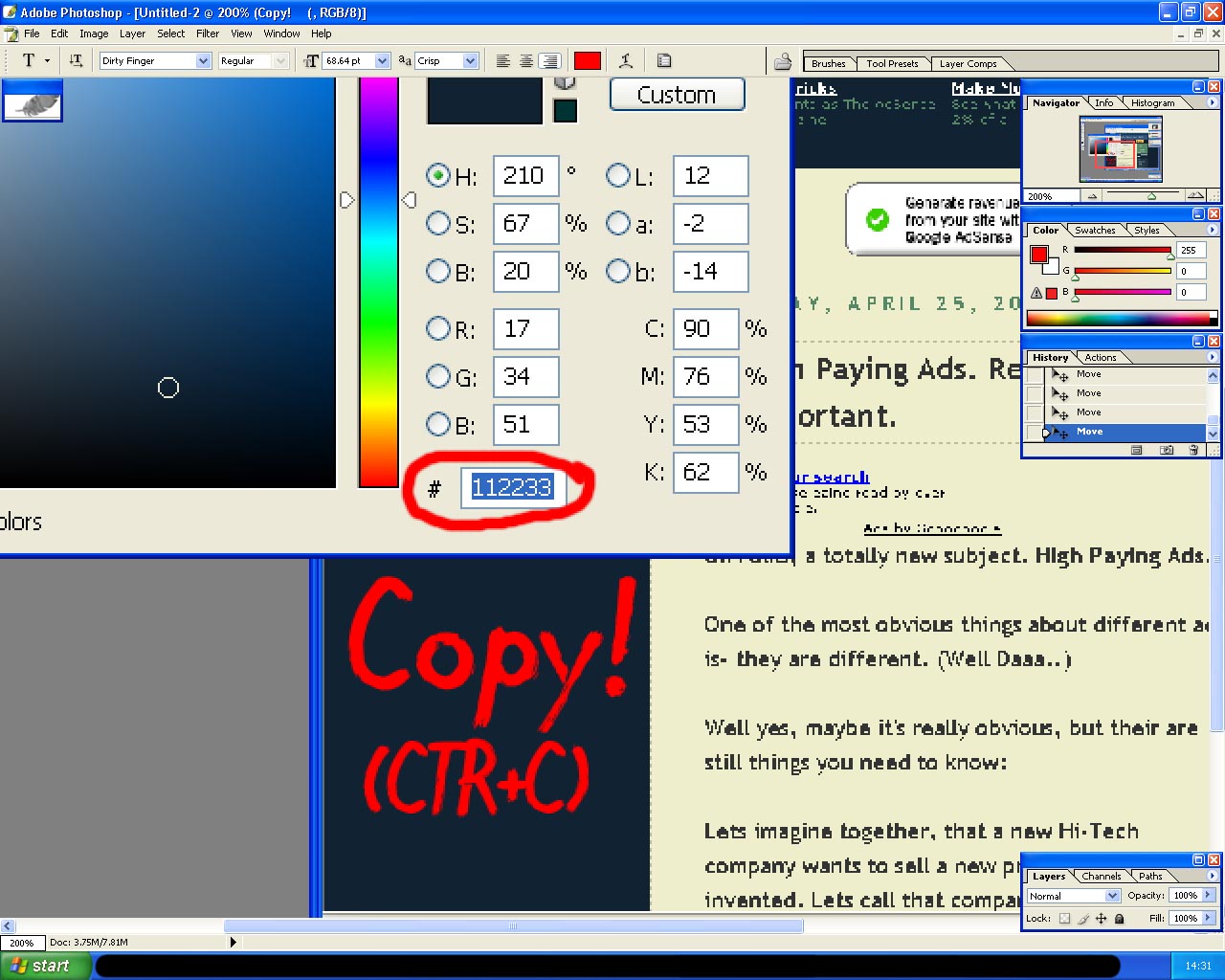
- After choosing the color, Click on the color palate. (The colored box in the picture)
![]()
Step number Five:
- You should now be in the Color Setting. (Like in the picture)
- Copy the content of the box I marked in the picture. (Simply select it, and press CTR+C)

Step number Six:
- Go into your AdSense Account.
- Go into the AdSense Setup page, and select the AdSense for content (or Search..)
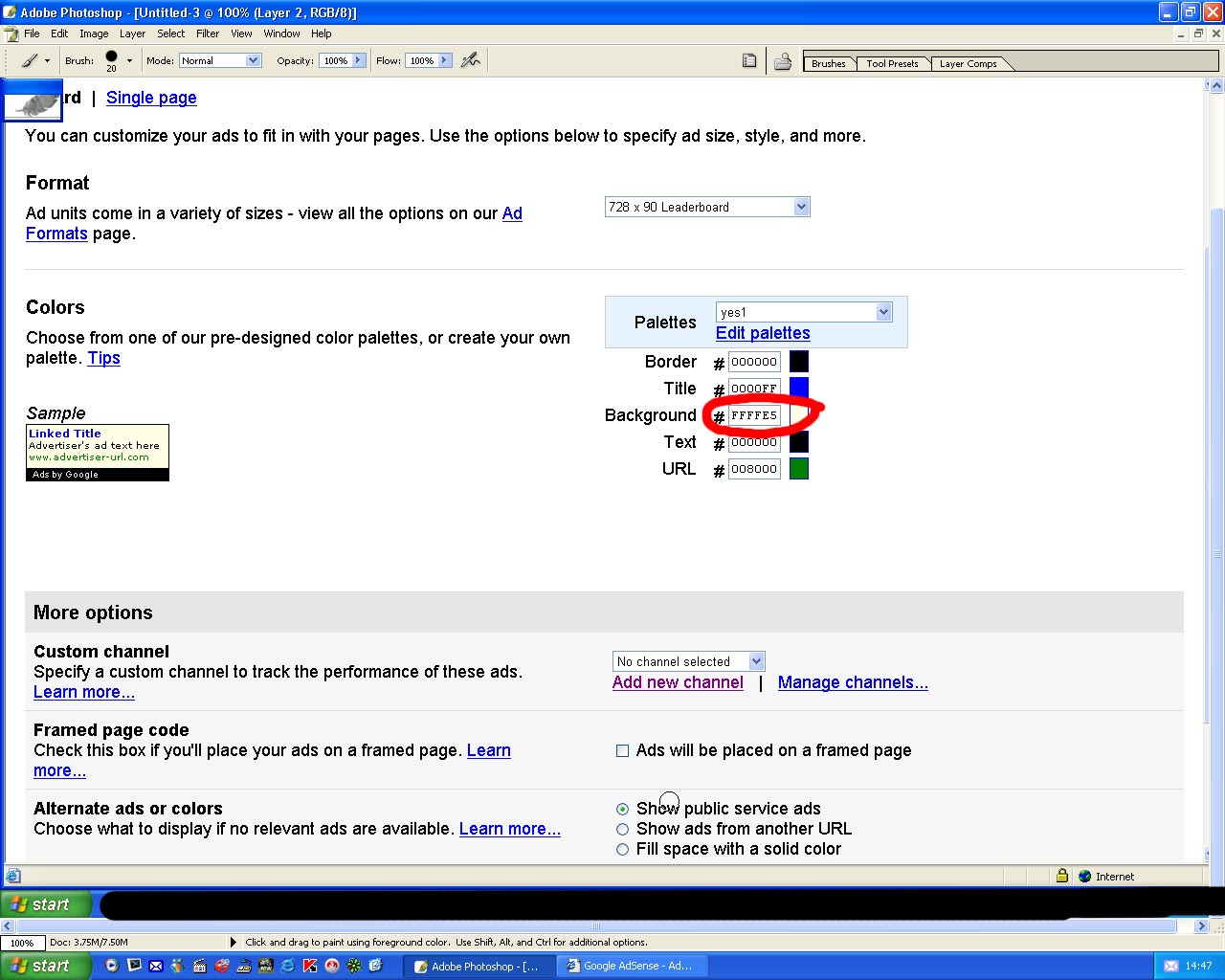
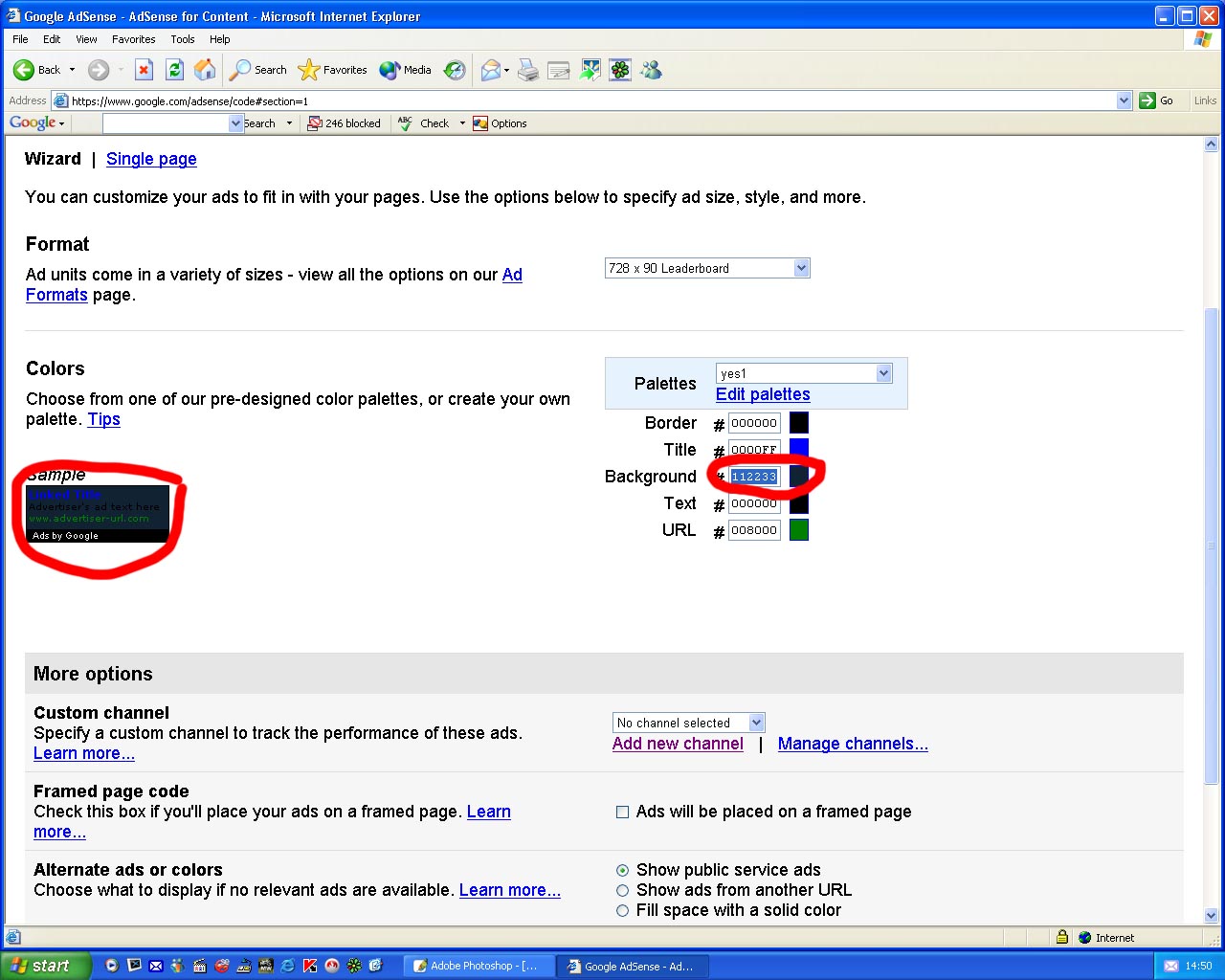
- Choose the settings you like for the Ad, and finally, get to the Ad color settings. (it should look like the picture..)
- Select the content of the Background box.

Step number Seven:
remember that when we were in Photoshop, we copied something? Now is the time to use it.
- Paste the content into the Background box. (Notice the ads background change.)

Step Number Eight:
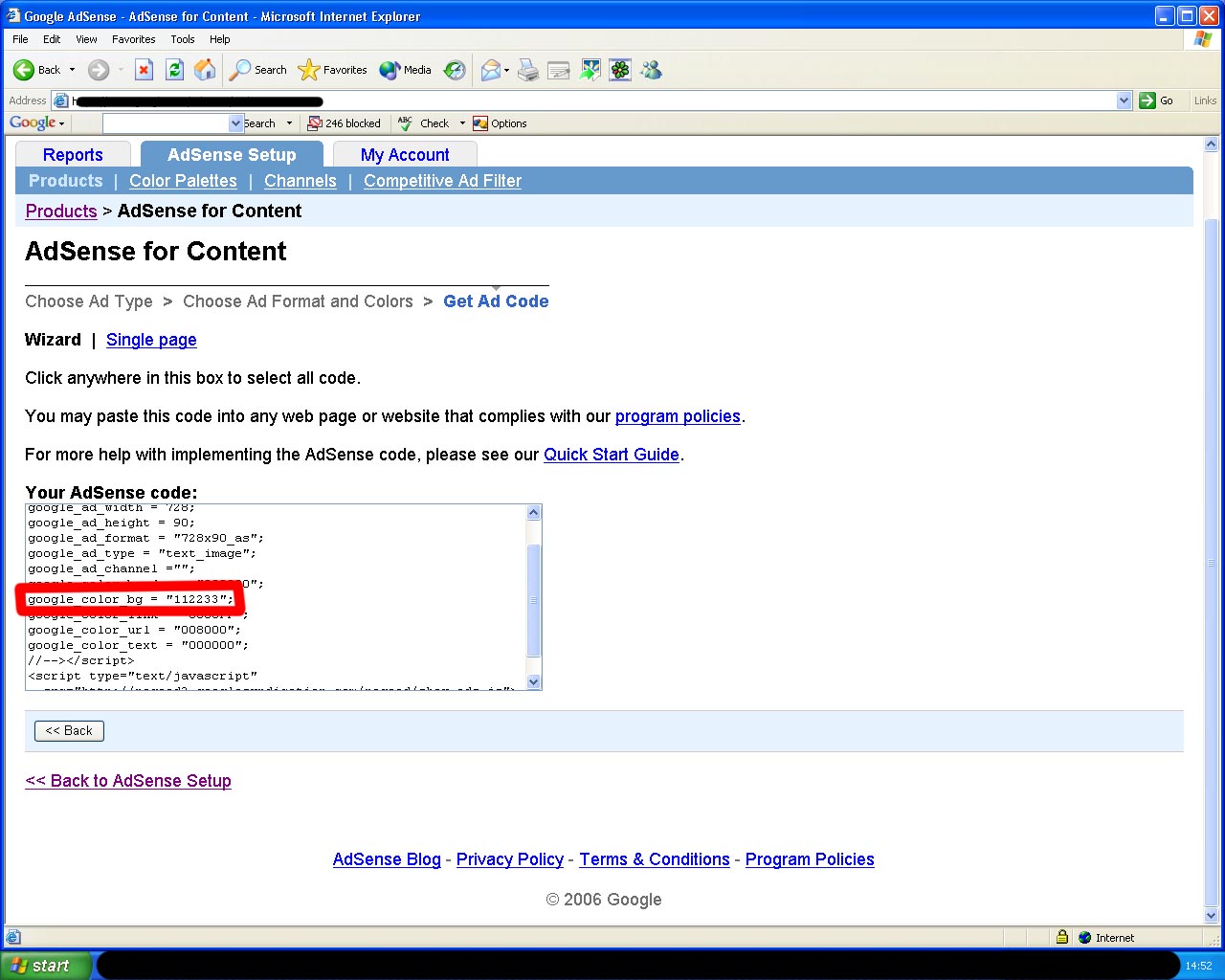
- Simply copy the ads code, into the place you want it, in your website. (Like you always do..)

That's it. Hope it helped you out! I tried to make it as easy as possible!
[MaHe]